×
Our website is made possible by displaying online advertisements to our visitors. Please consider supporting us by whitelisting our website.
Home
Shop
Wishlist0

Complete Gaming Setup Essentials — From Desk to Display

Introduction

Creating your perfect gaming setup is not just about power — it’s about comfort, aesthetics, and performance. Let AVANZA guide you through the essentials for a complete gaming environment.

Essentials You Need

  • Gaming Chair: For posture and comfort during long sessions.
  • Monitor: Choose high refresh rates (144Hz or more) and low response time.
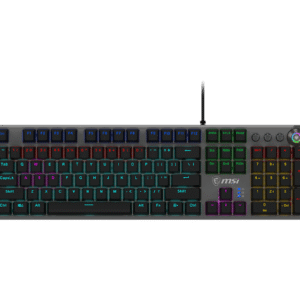
  • Keyboard & Mouse: Mechanical keyboards and precision gaming mice make all the difference.
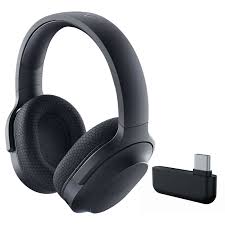
  • Headset: Immerse yourself with clear audio and noise cancellation.
  • Lighting: Add RGB lighting to boost your gaming atmosphere.
  • Desk: Spacious and durable to hold all your gear.

Setup Tips

  • Keep cable management clean and tidy.
  • Adjust monitor height to eye level.
  • Maintain good ventilation for your PC.

Conclusion

With the right setup, your gaming experience becomes more immersive and enjoyable.
At AVANZA, we provide everything from chairs and cases to monitors and accessories.

Mechanical vs. Membrane Keyboards — Which One Should You Choose?

Introduction

A keyboard is more than just a typing tool — it’s your main weapon in every game. At AVANZA, we help you understand the difference between mechanical and membrane keyboards so you can choose the one that fits your style.

Mechanical Keyboards

  • Switches: Each key has an individual mechanical switch (Blue, Red, Brown).
  • Pros: Tactile feedback, faster response, highly durable (50+ million keystrokes).
  • Best for: Competitive gamers, coders, and typing enthusiasts.

Membrane Keyboards

  • Switches: Use pressure pads instead of individual switches.
  • Pros: Quieter, softer feel, and more affordable.
  • Best for: Casual gamers and office users.

Which One Should You Buy?

If you play FPS or esports, go for mechanical.
If you prefer quiet, budget-friendly keyboards, choose membrane.

Conclusion

Whatever your style, AVANZA has the right keyboard for you — from RGB mechanical beasts to compact, silent models.

How to Build Your Own Gaming PC — Step-by-Step Guide

Introduction

Building your own gaming PC may seem intimidating, but it’s one of the most rewarding tech projects you can do. You get to choose every part, match your performance goals, and save money. Let’s walk through the process together with AVANZA’s easy guide.

Step 1: Choose Your Components

  • Processor (CPU): The brain of your PC. Choose Intel Core i7/i9 or AMD Ryzen 7/9.
  • Graphics Card (GPU): Crucial for gaming. Go for NVIDIA RTX 40 series or AMD Radeon RX.
  • Motherboard: Make sure it supports your CPU and has enough PCIe slots.
  • RAM: 16GB is the standard; 32GB for heavy gaming and streaming.
  • Storage: Combine an SSD for speed and HDD for storage.
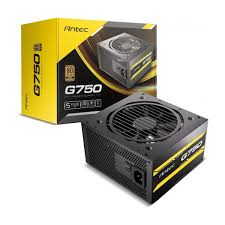
  • Power Supply (PSU): Ensure enough wattage (use 650W–850W for gaming builds).
  • Case: Pick a case that fits your motherboard (ATX, Micro-ATX) and provides good airflow.

Step 2: Assemble the PC

  1. Install the CPU and RAM on the motherboard.
  2. Mount the motherboard inside the case.
  3. Add your power supply and connect cables.
  4. Install your GPU and storage drives.
  5. Power it on and install Windows or Linux.

Step 3: Optimize Performance

  • Update all drivers
  • Enable XMP in BIOS for RAM
  • Adjust fan curves for better cooling

Conclusion

Building your own gaming PC gives you control, customization, and performance.
Find all the components you need at AVANZA — from processors and GPUs to RAM and cooling systems.

Top 5 Gaming Mice for Pro Players in 2025

Introduction

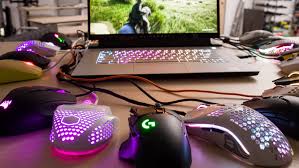
In the fast-paced world of gaming, every click matters. Whether you’re playing FPS, MOBA, or strategy games, your mouse can make the difference between victory and defeat. At AVANZA, we’ve selected the top 5 gaming mice of 2025 that combine precision, comfort, and cutting-edge technology.

The Top Picks

  1. Logitech G Pro X Superlight 2
    • Ultra-lightweight design (only 60g)
    • HERO 2 sensor for unmatched precision
    • Wireless with zero-lag performance
  2. Razer DeathAdder V3 Pro
    • Ergonomic shape for long gaming sessions
    • 30,000 DPI Focus Pro sensor
    • Up to 90 hours of battery life
  3. HyperX Pulsefire Haste 2
    • Honeycomb shell design
    • Customizable RGB lighting
    • Excellent value for money
  4. SteelSeries Aerox 5
    • Multi-genre functionality (FPS, MOBA, MMO)
    • AquaBarrier™ protection against dust and spills
    • Super responsive optical switches
  5. Redragon Cobra M711
    • Great for beginner and mid-level gamers
    • Adjustable DPI up to 10,000
    • Affordable and durable

Conclusion

  1. Building your own gaming PC gives you control, customization, and performance.
  2. Find all the components you need at AVANZA — from processors and GPUs to RAM and cooling systems.
Back to Top
Product has been added to your cart
Compare (0)